Description of firmware version for shipment
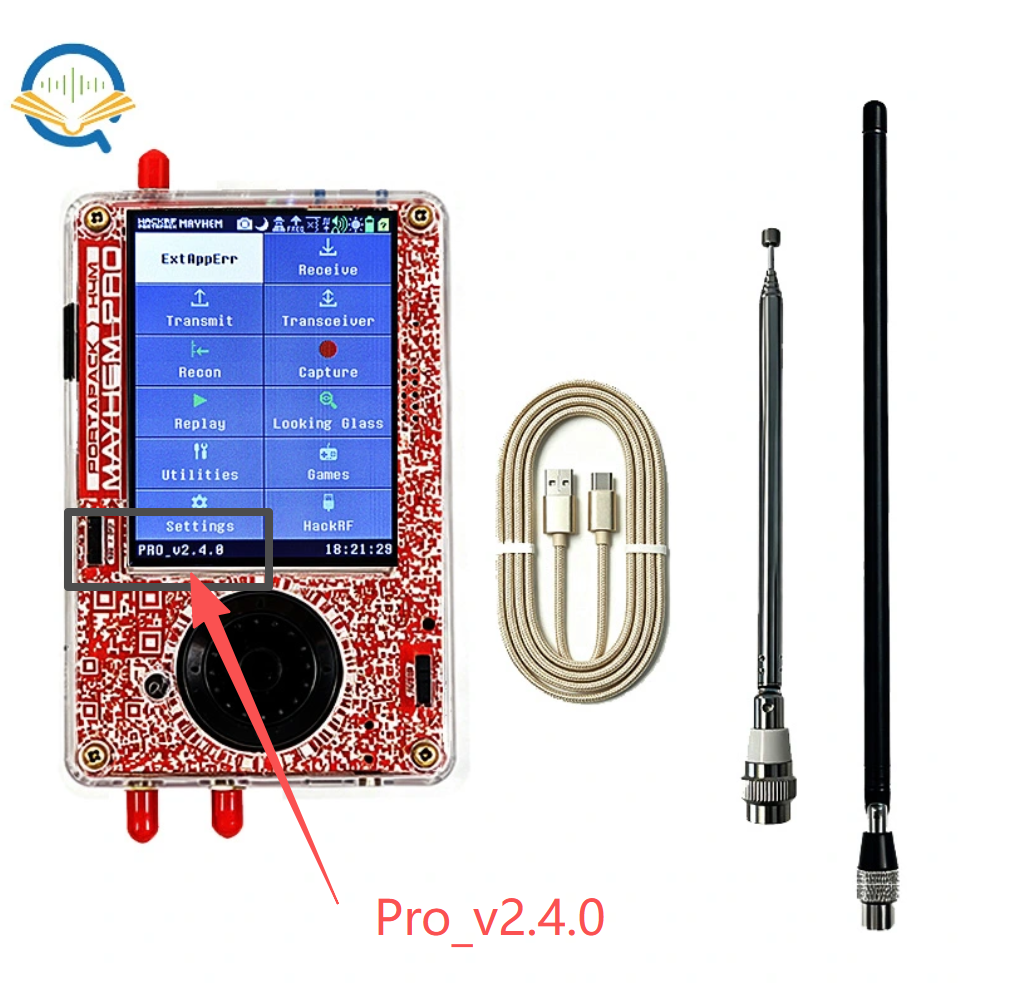
when we shipped the first batch of HackRF Pro and H4M Pro, the firmware flashed was modified based on the Mayhem firmware V2.4.0. Its version is Pro_v2.4.0. The version number you see in the bottom left corner when you turn on the computer is Pro_v2.4.0. If you want to copy the contents of the SD card, you can download the compressed file here https://github.com/OpenSourceSDRLab/mayhem-firmware/releases/tag/v2.4.0
If you use it, those APPS applications icons will no longer be grayed out and can now be used normally.
Of course, you can also update the firmware to the official Mayhem firmware yourself, for example: https://github.com/portapack-mayhem/mayhem-firmware/releases
You can choose the nightly version because firmware developers have recently done some new development work for HackRF Pro, as well as adaptation work for HackRF Pro and PortaPack H4M Pro.
At present, the firmware we ship is temporarily modified based on the Mayhem firmware. Once the next stable version of Mayhem is released, we will ship with the stable version firmware of official Mayhem. Therefore, our firmware is only a temporary transitional version, and we hope it will not cause too much trouble with the version number for everyone.
About the ADS-B receiver
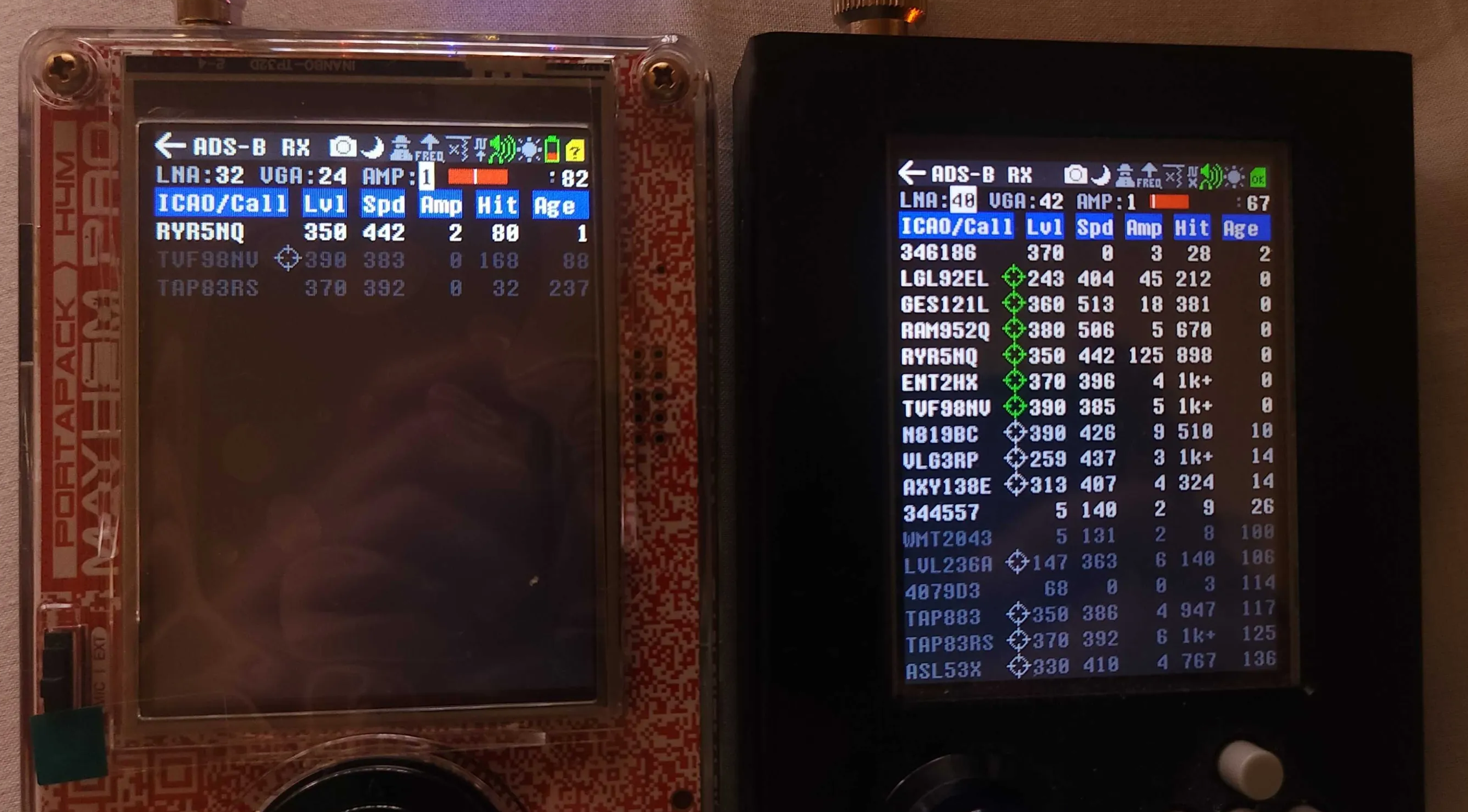
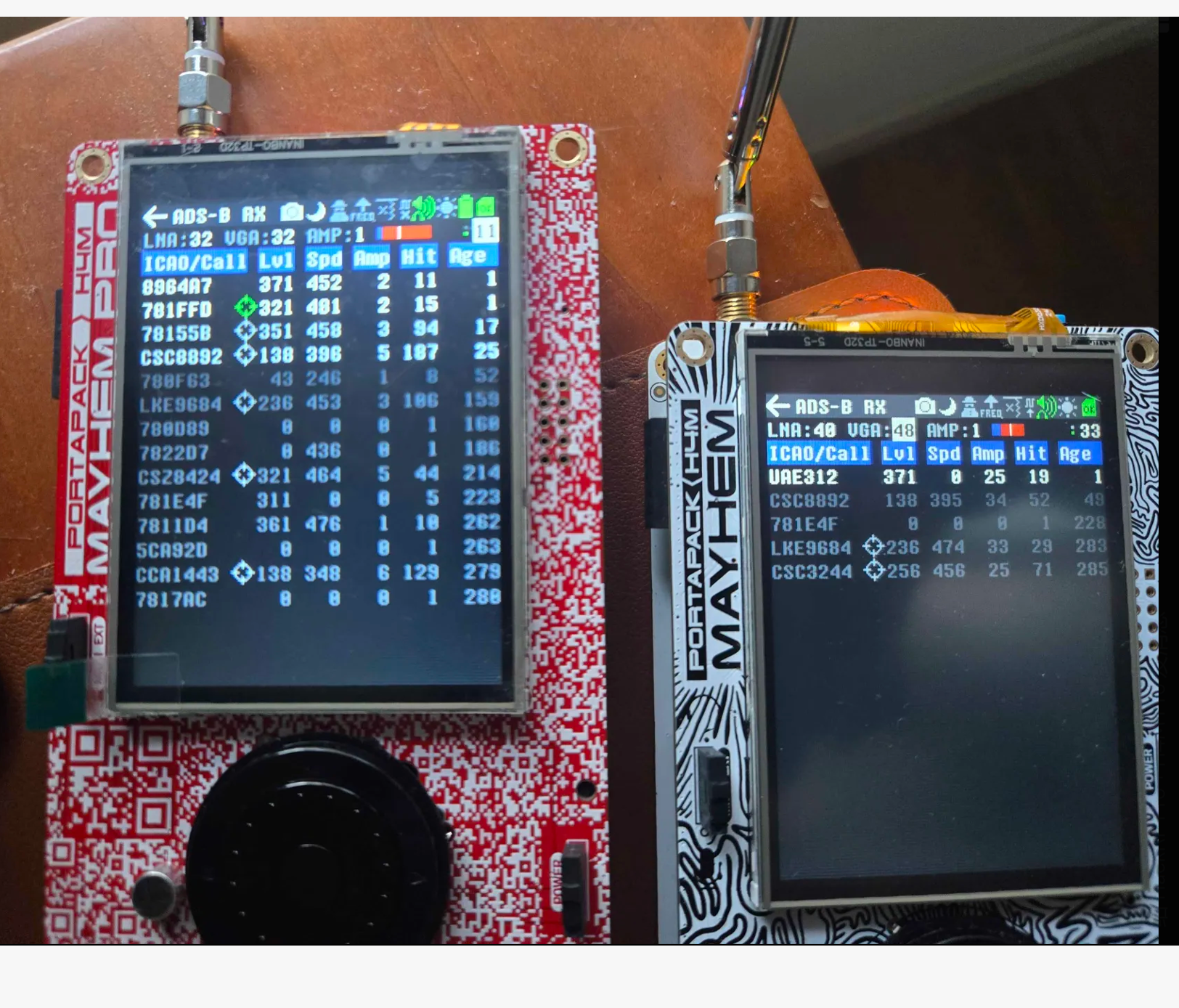
We found that for the HackRF Pro and PortaPack H4M Pro, the ADS-B receiver performance is sometimes slightly worse than HackRF One and PortaPack H4M. We are also working with firmware developers to improve the Mayhem firmware. After detailed comparative testing, we found that this is a firmware issue. The Core Issue is that the HackRF Pro uses the MAX2831 chip, whereas the HackRF One uses the MAX2837. Filter Bandwidth Limits: The MAX2837 has a flexible internal baseband LPF that can scale down to narrow bandwidths (like 1.75 MHz to 28 MHz), perfect for ADS-B. In contrast, the MAX2831 is RF transceiver chip mainly designed for 2.4 GHz ISM-band wireless applications, whose narrowest internal filter setting still lets through about 7.5 MHz of bandwidth.
So we think the firmware may require more adaptation work. Here are some changes for the ADS-B receiver for the HackRF Pro and PortaPack H4M Pro. And it will be sent to the ‘test-drive’ channel in <HackRF PortaPack Mayhem> server. If anyone is interested and has time to test, please help to test. Thanks!
At present, we have modified and upgraded the firmware. Different people have tested ads-b, and sometimes the reception effect of HackRF Pro+H4M Pro is better than that of HackRF One+H4M. However, sometimes in a different place, the reception effect of HackRF Pro+H4M Pro is worse than that of HackRF One+H4M.
We will continue to upgrade the firmware for the ADS-B receiver.
Collect user feedback in a centralized manner
In order to centrally record everyone's feedback and issues on HackRF Pro and PortaPack H4M Pro, we have the forum and github discussions links here. If need, you can also record your issues there, and my colleague will carefully analyze and solve them one by one. Thanks!
https://forum.opensourcesdrlab.com/t/feedback-on-the-hackrf-pro-with-portapack-h4m-pro/71 https://github.com/orgs/OpenSourceSDRLab/discussions/5
About the case
The screws should not be overtightened. Tightening them too much causes the front frame to put pressure on the resistive touchscreen, which leads to ghost touches or temporary touch unresponsiveness.
About the opening method of battery cover
As for the battery cover, the proper way to open it is not to press down and slide from the center. Instead, pressing and sliding with both hands at the two side edges makes it slide off effortlessly!
When removing the 18650 battery, it is necessary to take it out from the positive side, which makes it easier to remove the battery.